
Is Your Dispatch System Costing You Customers?
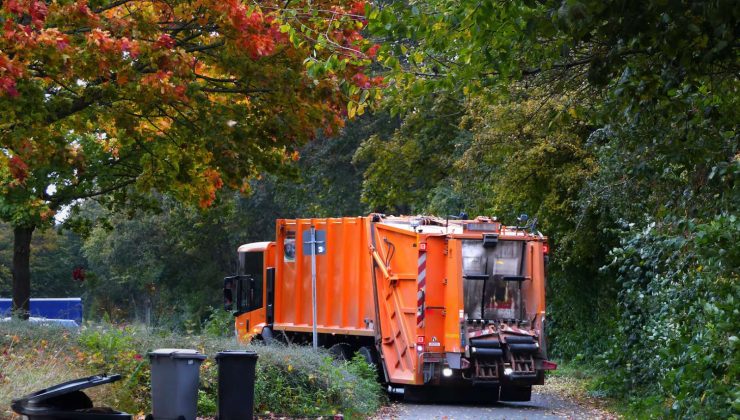
A slow dispatch system can turn an ordinary collection delay into a lost customer. When routes change, crews need help or a job takes longer than expected, information must move quickly between dispatchers, drivers and customers. If it doesn’t, missed updates and uncertain arrival times soon weaken trust.
The problem often develops gradually. A workaround becomes standard practice, extra phone calls fill gaps and experienced staff learn to compensate for awkward software. Yet customers still feel the effects. Spotting operational lag early gives you a chance to fix the process before service quality suffers.
Warning Signs of Operational Lag
Operational lag appears whenever the situation on the road changes faster than your dispatch records. One crew may finish early whilst another encounters a blocked access point, but a dispatcher working from an old spreadsheet won’t see the imbalance. The result is wasted capacity on one route and growing delays on another.
Repeated inbound calls are one of the clearest warning signs. If customers regularly ask where a vehicle is, dispatch information either lacks accuracy or isn’t reaching them. Clear communication can strongly influence customer satisfaction, especially when delays or service changes are involved.
Other signs include jobs being assigned twice, handwritten notes arriving at the office at the end of a shift and invoices that don’t match work completed in the field. Dispatchers may also spend much of their day calling drivers for basic updates. That leaves less time for handling exceptions and supporting customers with urgent needs.
Measure these symptoms for two weeks. Record how many calls concern arrival times, how often routes need manual correction and how long completed jobs take to reach billing. A small delay repeated across 100 daily stops can create hours of avoidable administration. Once you know where time is disappearing, you can decide which part of the dispatch process needs attention first.
Why Clunky Software Frustrates Crews
Drivers need short, clear instructions that work on a small screen. If an app requires several menus to confirm one collection, crews may postpone updates until a quiet moment. Dispatchers then see an incomplete picture and customers receive information based on old data.
Poor mobile design also increases the chance of errors. A driver wearing work gloves may struggle with tiny buttons, whilst weak mobile coverage can cause an update to fail without warning. If the system doesn’t save information offline, the driver might have to enter the same details again later. That duplication feels minor once, but it becomes a genuine burden across a full shift.
Purpose-built garbage truck routing can bring job management, billing details and communication into one driver app. Features such as trip charge capture, overload billing and live estimated arrival notifications reduce the number of separate steps crews must remember. The practical benefit is a cleaner flow of information from the vehicle to the office.
Ask several drivers to demonstrate how they complete a typical job in your current system. Count the taps, note where they hesitate and check what happens when the connection drops. Drivers often identify friction that office-based testing misses. Their feedback should influence software decisions because they use the tool in changing weather, busy streets and time-sensitive situations.
Optimising High-Density Fleet Paths
Dense service areas can look efficient on a map because stops sit close together. In practice, road restrictions, access times, turning space and traffic patterns can make the shortest-looking path surprisingly slow. A route that crosses the same busy junction three times may cover fewer miles yet take longer than a carefully ordered alternative.
Start with real completion data. Compare planned arrival times with actual timestamps and look for streets where delays occur repeatedly. The gap may reveal a school-run bottleneck, difficult site access or a customer whose collection regularly takes longer than the standard allowance. Route planning should reflect those patterns instead of relying only on distance.
Operating time matters because fleet operating costs extend beyond fuel. Driver hours, vehicle wear and overtime can all rise when a route contains unnecessary backtracking. Even removing ten minutes from a daily run adds up across multiple crews and hundreds of working days.
Keep service zones reasonably compact, but don’t make them rigid. Dispatchers need the option to move a stop when a crew is delayed or another vehicle has spare capacity nearby. Review high-density paths every month and after major changes in customer volume. Useful measures include stops per hour, average time at each location, total route duration and the number of manual interventions. Together, these figures show whether a route performs well in the real world, not merely on the planning screen.
Providing Transparent Arrival Windows
Customers rarely expect every vehicle to arrive at an exact minute. They do expect a realistic window and a prompt update when circumstances change. Telling someone to expect service between 10 am and noon is far more useful than leaving them uncertain for an entire day.
Set arrival windows from historical route data, not optimistic assumptions. If a particular run reaches its tenth stop between 11.15 am and 11.45 am on most days, a 30-minute window may be reasonable. Where traffic and access conditions vary more widely, give a broader estimate. Accuracy builds more trust than false precision.
Live notifications should respond to meaningful events. A message when the vehicle begins the route may be too early to help, whilst an update when it is two or three stops away gives the customer time to prepare. If a breakdown or road closure causes a major delay, send a revised window as soon as dispatch has dependable information.
Clear updates can also reduce pressure on office staff. A customer who receives a useful arrival message has less reason to call for an update. That gives dispatchers more time to deal with service exceptions.
Be careful with personal information when sending and storing these alerts. Mobile systems may process names, addresses and location data, so access should be limited to staff who need it. Set retention rules, use individual logins and remove access promptly when someone changes role or leaves the business.
Choosing Purpose-Built Mobile Tools
A good dispatch tool should match the work crews perform every day. Start the buying process with a list of real tasks: receiving a route, viewing job notes, confirming completion, recording extra charges, uploading supporting details and reporting an access problem. A polished demonstration means little if common actions remain slow in the cab.
A strong transportation business identity can also help a fleet present itself more consistently across vehicles, customer communications and digital tools as the operation grows.
Test prospective tools with a small group of drivers and dispatchers. Run the trial on a normal route for at least a week so it includes poor signal, last-minute changes and busy periods. Check whether updates synchronise automatically once coverage returns and whether office staff can see which information is current.
Safe use also matters. Drivers shouldn’t need to type or study complicated screens whilst a vehicle is moving. Managing work-related road safety should remain part of normal health and safety practice, including how mobile tools are configured and used. Set the system so detailed interaction happens only when the vehicle is safely stationary.
Before committing, ask how the platform handles user permissions, software updates, data exports and support requests. You should also understand how pricing changes as your number of vehicles or users grows. A system that works for five vehicles may become awkward or expensive at 30.
The final test is visible in daily operations. Dispatchers should spend less time chasing updates, drivers should complete records without duplicate entry and customers should receive arrival information they can actually use. If a pilot doesn’t produce those changes, document the problem before expanding it across the fleet. The best system is the one that keeps accurate information moving from the route to the customer without asking staff to invent another workaround.