How to Save Time and Money with Text to Speech AI in Your Video Projects
In today’s world of content creation, saving time and money is crucial for any video project. Whether you’re a teacher making educational videos, a content creator, or a business developing marketing materials, efficiency is key. One technology that can make this easier is text to speech AI. This tool can help you quickly turn written text into natural-sounding speech for your videos, saving you both time and money. In this blog post, we’ll explore how text to speech AI can streamline your video production process and how you can use it to enhance your projects.
What is Text to Speech AI and How Does It Work?
Text to speech AI is a tool that converts written text into spoken words. This technology uses advanced algorithms to mimic human speech, creating a natural-sounding voiceover for your videos. The AI can read any text you provide and generate speech in various voices, accents, and languages.
With text to speech AI, you don’t need to record voiceovers manually or hire voice actors. This makes it a cost-effective solution, especially for those working with tight budgets or on large projects that require a lot of narration. The AI voice generator that powers this tool can even adjust the tone and speed of the speech, making it suitable for different types of content, whether it’s a casual YouTube video or a professional business presentation.
How Text to Speech AI Saves Time in Video Projects
One of the biggest challenges in video production is the time it takes to record, edit, and sync voiceovers with video. Text to speech AI eliminates this problem by allowing you to generate a voiceover in minutes. You simply type out the script, choose a voice, and let the AI do the rest. This is much faster than recording audio manually, which can take hours or even days, depending on the length and complexity of the video.
Additionally, AI video upscaler technology can help improve your video’s visual quality, allowing you to focus on creating high-quality content without spending too much time on video editing. The combination of text to speech AI for voice and AI video upscaler for visuals can save you hours of production time, giving you more freedom to work on other aspects of your project.
Moreover, text to speech AI can be used across different languages. If you have an international audience, you can generate voiceovers in multiple languages quickly, without needing to hire translators or voice actors for each version. This is especially useful for global brands or educational content that needs to reach a wider audience.
How Text to Speech AI Cuts Costs in Video Production
Hiring professional voice actors can be expensive, especially if you need voiceovers for multiple videos. With text to speech AI, you don’t have to worry about these costs. Instead of paying voice actors, you can use the AI tool to generate professional-quality voiceovers at a fraction of the cost. Whether you’re creating one video or a whole series, you can rely on AI to handle all of your narration needs.
Moreover, AI video upscaler tools can help reduce the costs associated with video production. These tools can improve the resolution of older or lower-quality videos, so you don’t need to invest in expensive cameras or equipment. By enhancing the visuals with AI, you can make your videos look more polished without breaking the bank. This is especially useful for content creators who need to upgrade the quality of their videos on a budget.
By using AI-powered tools, you also save money on editing software and professional video production services. With AI doing much of the heavy lifting, you can focus your budget on other areas of your project, like marketing or distribution, which can help you get the most value for your investment.
The Benefits of Combining Text to Speech AI and AI Video Upscalers
When you use text to speech AI in combination with an AI video upscaler, you create a more professional and engaging video with less effort and cost. The AI video upscaler can improve the quality of your video, making it sharper and more visually appealing. This is particularly important for videos that will be shared on social media, websites, or educational platforms, where high-quality content is essential for capturing attention.
By using both text to speech AI, AI voice generators and AI video upscaler, you save time and money while producing high-quality content. The AI tools work together to streamline your video creation process, from narration to visual enhancements. This allows you to create videos that are both visually and audibly appealing, without needing to hire professionals for each aspect of production.
Moreover, this combination of AI tools ensures that your content is ready quickly. You won’t need to wait for voice actors or spend time on video quality adjustments. Both tasks can be done instantly with AI, allowing you to focus on the creative aspects of your project.
How to Use CapCut’s Text to Speech AI in Your Video Projects
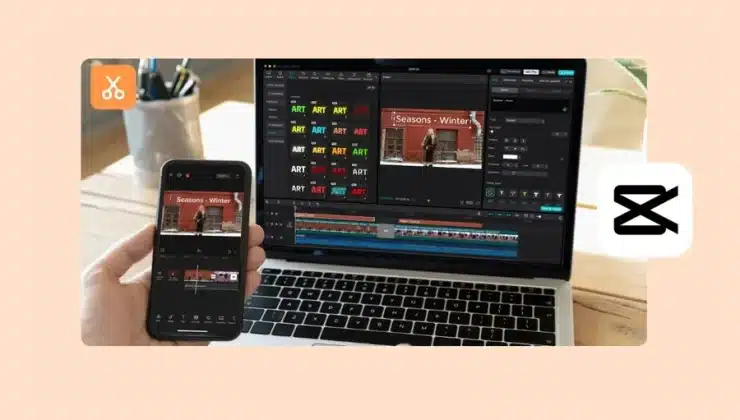
If you’re looking for an easy way to use text to speech AI in your videos, CapCut’s text to speech feature is a great option. CapCut offers a user-friendly platform for creating high-quality videos, and its text to speech AI tool makes adding voiceovers to your videos simple. Here’s how you can use it in just three easy steps:
- Import Video
Start by importing the video you want to add narration to. In the CapCut desktop app, click on the “New Project” option and select your video file. This could be an educational video, a tutorial, or any other content you want to add voiceover to.
- Use Text to Speech AI
Next, click on the “Text” option in the toolbar and type or paste the script you want to use for the voiceover. After entering your text, select the “Text to speech” option. The AI will convert your text into a voiceover, and you can choose from various voices, languages, and accents. Once you’re happy with the AI-generated voice, you can adjust the tone or speed to match your video’s style.
- Export Video
Once your video is ready, including the narration, click on the “Export” button to save your final video. Choose the desired resolution and export your video in the format you need.
With CapCut’s text to speech AI, the process of adding professional-quality voiceovers to your video becomes quick and straightforward. No need for expensive equipment or voice recording sessions—just enter your script, choose a voice, and let the AI handle the rest.
Conclusion
In conclusion, text to speech AI is a game-changer for video production, helping you save both time and money. By using AI-generated voiceovers, you can avoid the costs and time spent on recording voiceovers manually or hiring voice actors. Additionally, combining AI video upscaler technology with text to speech AI helps improve both the visual and auditory quality of your videos, making them more professional and engaging.
With tools like CapCut’s text to speech AI, video creation becomes faster, more affordable, and easier than ever. Whether you’re a content creator, teacher, or business, AI tools can help you streamline your production process and produce high-quality content without the high costs. Try out CapCut’s text to speech AI today and see how it can transform your video projects!