
How to Add Personality to Posts Using CapCut AI Image Generator
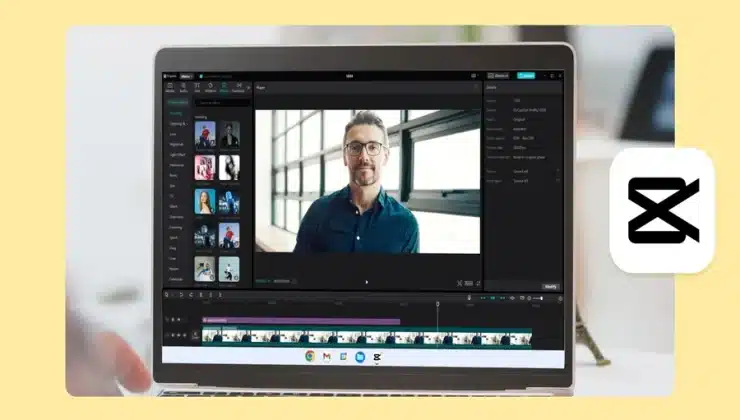
Social media today is all about standing out. With endless posts flooding feeds every second, adding a personal touch is what makes people stop scrolling and pay attention. Whether you’re running a brand, growing as a content creator, or just sharing your daily life, your posts need a little spark that reflects your personality. CapCut AI Image Generator is more than just a creative tool—it’s like having a mini design studio that transforms your ideas into eye-catching images. With it, you can create visuals that don’t just look good but also feel like you. From playful cartoon-style portraits to sleek brand-style graphics, the AI Image Generator gives you endless ways to show your unique vibe online.
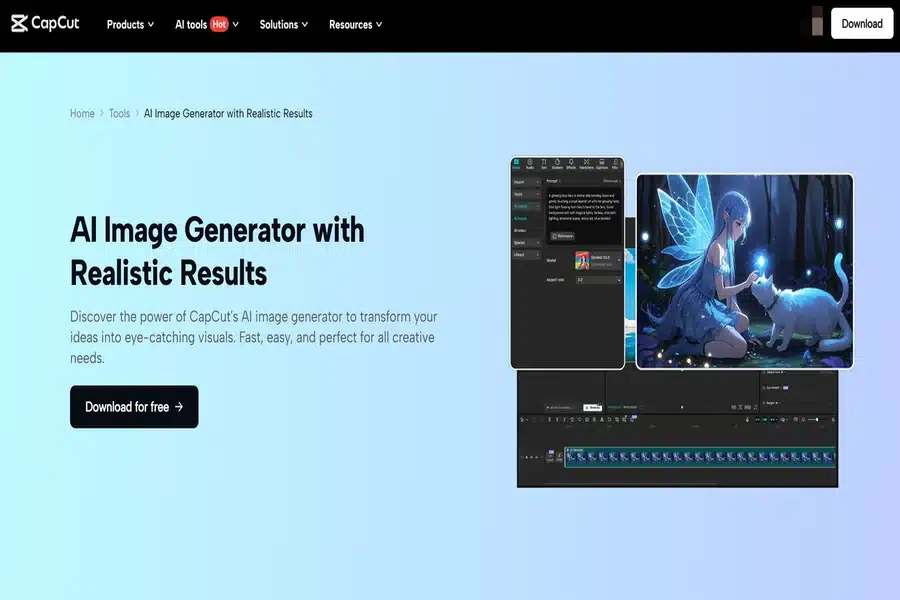
Why Personality Matters in Social Media Posts
Before diving into the how-to, let’s talk about the why. People don’t just connect with content—they connect with the person behind the content. Adding personality to your posts helps:
- Build trust and authenticity: Followers are more likely to engage with content that feels real and personal.
- Create a recognizable style: When your posts have a unique look, people instantly know it’s you.
- Increase engagement: Fun, creative, and personality-driven visuals naturally attract more likes, comments, and shares.
CapCut’s AI Image Generator makes all of this possible without needing fancy design skills or expensive software.
What Makes CapCut AI Image Generator Special?
There are plenty of AI tools out there, but CapCut’s version is designed for creators who want both speed and style. Here’s what sets it apart:
- Variety of Styles: You can generate images in different moods—artsy, playful, professional, or dreamy—depending on what your post needs.
- Ease of Use: The interface is beginner-friendly, so you don’t need design training.
- Integration with Editing Tools: Unlike standalone AI apps, the generated images flow directly into CapCut, where you can add text, filters, animations, and effects.
- Consistency: Ideal for creators and brands seeking cohesive posts that remain fun and personal.
Now let’s jump into the practical part—how to actually use CapCut AI Image Generator to give your posts more personality.
How to Add Personality to Posts Using CapCut AI Image Generator
Step 1: Generate a Unique Visual That Matches Your Vibe
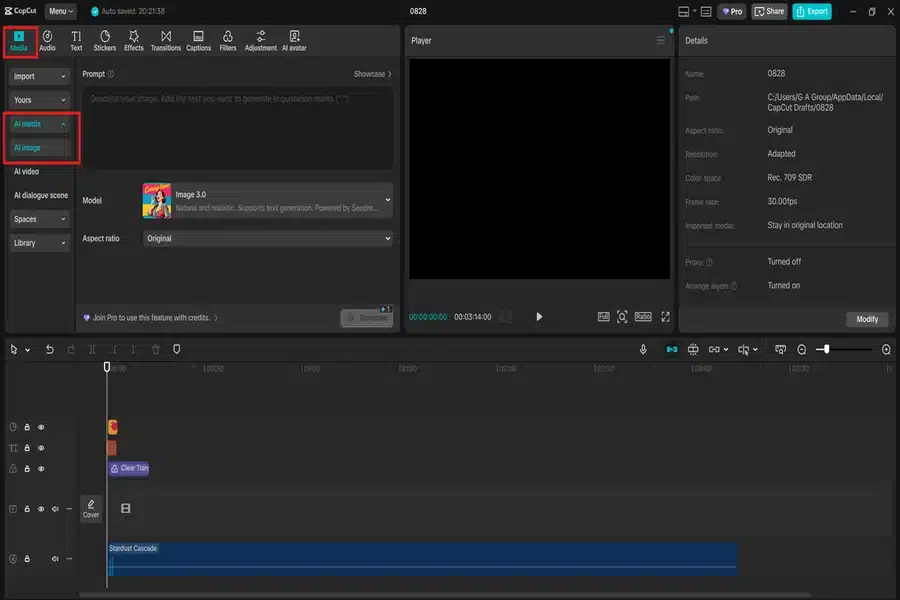
Start by opening CapCut Desktop Video Editor and heading to the AI Image feature. Here, you’ll see a box where you can type in your idea or upload a reference photo.
- Want a playful version of yourself for a meme-style post? Type in something like “cartoon-style portrait with bold colors”.
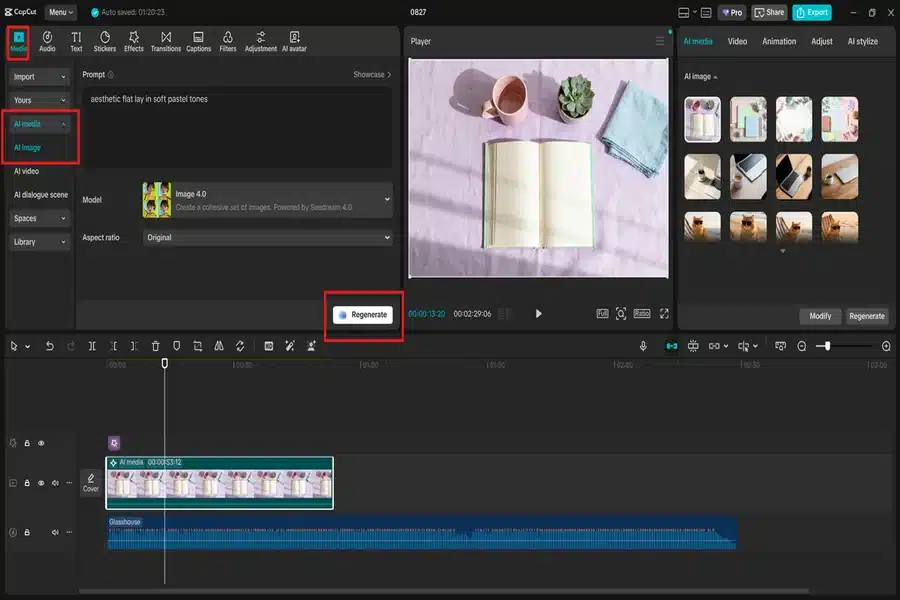
- Running a lifestyle brand? Try “aesthetic flat lay in soft pastel tones”.
- Want to show creativity? Go for “dreamy fantasy-style artwork with glowing effects”.
Within seconds, CapCut’s AI creates a selection of images. Pick the one that best matches your personality or the mood of your post. For consistency across multiple posts, consider using similar prompts and color themes. This way, your content feels like you, not just random AI art.
Step 2: Personalize with Text, Stickers, and Effects
Once your AI-generated image is ready, it’s time to add your personal twist. CapCut gives you tons of customization options.
- Add text overlays with your favorite fonts to highlight quotes, AI Avatar, jokes, or captions.
- Use stickers and emojis that match your vibe—funny, classy, or quirky.
- Play with filters and effects to create a signature look (e.g., vintage tones, neon glows, or cinematic vibes).
This step is where the personality really shines. For example, two people could generate the same AI image, but by adding different captions and edits, they’ll end up with two unique posts. Keep your audience in mind. If your followers love humor, go bold with witty captions. If they prefer inspiration, add uplifting quotes. Personality is about you, but it’s also about how you connect with your community.
Step 3: Export and Share with Confidence
Once your post feels “you,” it’s time to share it with the world. CapCut makes exporting simple, whether you’re posting to Instagram, TikTok, Twitter (X), or Facebook.
- Choose the right dimensions (square for Instagram feed, vertical for TikTok, horizontal for Twitter).
- Save in high resolution so your images look sharp and professional.
- Post consistently to build your personal brand over time.
Pair your AI-generated image with a strong caption. Personality isn’t just in visuals—it’s in your words too. Let the image grab attention, and your caption build a connection.
Conclusion
Standing out on social media isn’t just about posting often—it’s about posting with personality. With the CapCut AI Image Generator, you don’t need to be a designer to craft posts that feel unique, creative, and truly yours. From generating custom visuals to personalizing them with text, stickers, and effects, CapCut makes the process fun and effortless. So next time you’re stuck on what to post, open up CapCut, let the AI spark some creativity, and show the world your personality through visuals that pop.