
Building a Profile Enrichment Pipeline for Your CRM or ATS: An Architecture Walkthrough
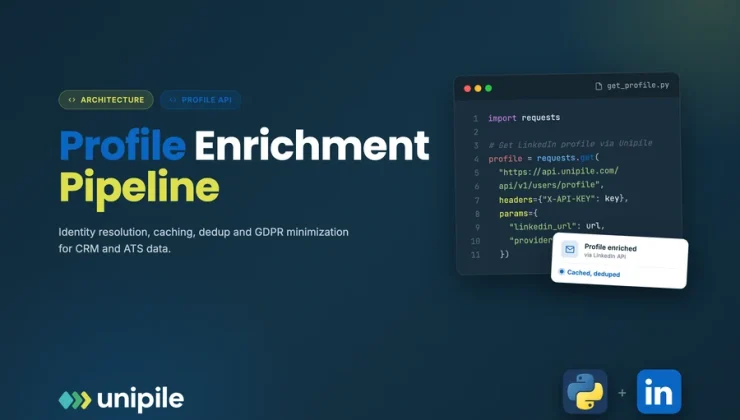
Calling an endpoint that returns a profile takes five minutes. Building a system that keeps thousands of CRM or ATS records accurate, without duplicates, without hammering rate limits and without hoarding personal data, takes real design. This article treats profile enrichment as what it actually is: a small data pipeline with triggers, identity resolution, storage, caching and retention rules. Each stage is described with the decisions you need to make and the mistakes that tend to show up six months later.
Introduction
Enrichment features usually start as a button: a user pastes a LinkedIn URL into a contact record and the job title appears. Then the product grows. Records arrive from imports, from chats, from forms. Two records turn out to be the same person. A job title from last year is still showing. At that point the button has become a pipeline, whether anyone designed it or not. A linkedin profile api guide covers how to retrieve the data itself; this article covers the system you build around it so the data stays useful, accurate and proportionate.
One boundary shapes everything that follows. With Unipile, profile retrieval runs on behalf of an authenticated user, through the LinkedIn account that person connected to your product, and returns what that user can already see from their own session. There is no shared directory behind the call. Your pipeline is therefore always scoped to a connected account, and that scope belongs in your data model from day one.
Stage one: decide what triggers a retrieval
Most pipelines have three legitimate triggers. A user action (a recruiter opens a candidate, a rep clicks “refresh”). An inbound event, such as a new message webhook from someone your system has never seen. And a scheduled refresh for records that are actively in use. Write these down explicitly. Anything that does not map to one of them, for example “enrich the whole database every night”, is usually a sign the pipeline is collecting more than the product needs.
Each trigger should enqueue a job rather than call the API inline. A queue gives you one place to apply pacing per connected account, to deduplicate requests that arrive twice, and to retry cleanly when LinkedIn signals that an account should slow down.
Stage two: resolve identity before you fetch
LinkedIn people show up in your system under different identifiers. A profile URL contains a public identifier. A chat attendee or a message sender carries a provider internal ID. The Unipile documentation handles both: GET /users/{identifier} accepts a public identifier and returns the profile including its provider internal ID, and the same endpoint accepts the internal ID found in attendees and messages, which is how you get back to the public identifier.
The architectural consequence is simple: pick the provider internal ID as your canonical key, and resolve every incoming identifier to it as the first step of the job. Public identifiers can change when someone edits their vanity URL; the internal ID is the stable anchor.
Stage three: model the data in two layers
Store what you retrieve in two distinct layers.
- A canonical layer with the handful of fields your product actually displays or uses: name, headline, current title, current company, location. These map onto your CRM or ATS schema and are what users see.
- A short-lived snapshot of the raw response, kept only as long as you need it for debugging or for re-mapping after a schema change.
Each canonical field should carry provenance: which connected account retrieved it, and when. That single timestamp drives your freshness logic, and the account reference lets you honour a disconnection or a deletion request precisely.
Stage four: freshness and caching
Professional data changes slowly but it does change. A sensible pattern is a time-to-live per field family: identity fields rarely need refreshing, current role and company deserve a periodic check on records that are actively used, and records nobody has opened in months should not be refreshed at all. Event-driven refresh is often the cheapest win: when a contact sends a new message, it is a natural moment to check whether their profile data is stale.
Caching is also how you respect platform limits. LinkedIn sets its own limits on profile retrieval per account, and Unipile relays the corresponding signals rather than lifting them. A cache with honest TTLs means most “show me this profile” requests never reach the API at all. The cadence of whatever does reach it remains a customer-side decision, and each deployment has to stay within LinkedIn’s current terms.
Stage five: deduplication
Duplicates appear when the same person enters through two doors, say a CSV import with a URL and a chat with an internal ID. Once identity resolution maps both to the same provider internal ID, merging becomes deterministic. Keep the merge rule boring: the record with the most recent verified retrieval wins for profile fields, while fields your users typed by hand (notes, tags, pipeline stage) are never overwritten by enrichment. Log every merge so a user can understand why two records became one.
Stage six: minimisation and GDPR by design
Profile data is personal data, so the pipeline should collect less than it can, on purpose. Practical rules:
- An explicit field allowlist in code. Contact details can appear in a profile when the person has chosen to share them, but your pipeline should only keep them if a specific feature needs them.
- Purpose tags on stored fields, so data retrieved for recruiting is not quietly reused for something else.
- Retention jobs that delete snapshots and stale records automatically, and a deletion path triggered when a connected account is removed.
- No pooling. Data retrieved through one customer’s connected account stays in that customer’s tenant.
Unipile itself is SOC 2 Type II certified and GDPR compliant, but its compliance does not replace yours: your schema, your retention jobs and your access controls are what a privacy review will actually examine.
Unipile is an independent technical intermediary. It is not affiliated with, endorsed by, or sponsored by LinkedIn, and it retrieves data only through accounts whose owners actively connected them. Designed with that in mind, an enrichment pipeline is not a vacuum cleaner; it is a small, well-behaved service that keeps the records your users rely on correct, current and no larger than they need to be.