
How to Build a Computer That Will Still Feel Fast in Five Years
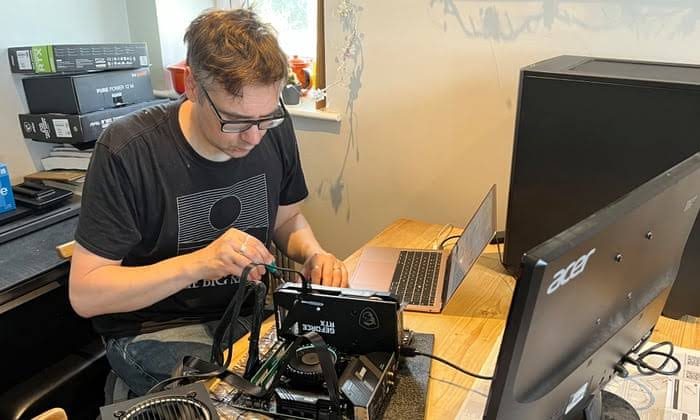
Building your own PC is one of the best ways to get exactly the performance you need while avoiding unnecessary compromises. But if you’re investing time and money into a custom build, you don’t want it to feel outdated after only a couple of years.
The good news is that future-proofing a computer isn’t about buying the most expensive components available. It’s about making smart choices that balance performance, upgradeability, and long-term reliability. Before selecting parts from retailers such as Mwave Australia, it’s worth understanding which components have the biggest impact on how well your PC will perform years from now.
Here are some practical ways to build a computer that continues to feel fast well into the future.
Start With a Strong Processor
The processor is the foundation of your entire system.
A quality CPU helps your computer handle:
- Everyday productivity
- Web browsing
- Content creation
- Gaming
- Multitasking
Choosing a processor with solid long-term performance means your system is less likely to struggle as software becomes more demanding over time.
It’s usually worth investing slightly more in the processor than replacing the entire system sooner.
Don’t Cut Corners on Memory
Modern software continues to use more memory every year.
While smaller amounts of RAM may work today, additional memory provides more breathing room for future applications.
More RAM helps with:
- Running multiple programs
- Editing large files
- Virtual meetings
- Creative software
- Browser performance
Adequate memory helps your computer stay responsive even under heavier workloads.
Choose Fast Storage
Storage speed affects almost every part of the computing experience.
A fast solid-state drive (SSD) improves:
- Boot times
- Application loading
- File transfers
- Software updates
- Overall responsiveness
Many builders also choose larger storage capacities to avoid running out of space as files and applications continue to grow.
Buy a Quality Power Supply
The power supply often receives less attention than other components, but it’s one of the most important parts of any build.
A reliable power supply offers:
- Stable performance
- Better efficiency
- Greater reliability
- Protection for other components
It also provides flexibility if you decide to upgrade your graphics card or processor in the future.
Think About Cooling
Powerful components generate heat.
Proper cooling helps maintain performance while extending component lifespan.
Good airflow includes:
- Well-designed cases
- Quality case fans
- Effective CPU cooling
- Clean cable management
Lower temperatures generally allow components to perform more consistently over time.
Leave Room for Upgrades
Technology changes quickly.
Building with future upgrades in mind allows you to improve performance without replacing the entire computer.
Consider:
- Available RAM slots
- Extra storage connections
- Motherboard compatibility
- Physical space for larger graphics cards
- Power supply capacity
A flexible system can often remain useful for many years with only a few targeted upgrades.
Don’t Overspend Where It Doesn’t Matter
Future-proofing isn’t about buying the most expensive version of every component.
Instead, focus your budget on the parts that influence long-term performance the most.
Spending wisely often delivers better value than simply choosing premium components across the board.
Balance is usually more important than maximum specifications.
Keep Software Maintained
Even the best-built computer benefits from regular maintenance.
Simple habits include:
- Installing software updates
- Removing unnecessary programs
- Keeping storage organised
- Updating drivers
- Running security scans
Regular maintenance helps preserve performance throughout the life of the system.
Build for Tomorrow, Not Just Today
A computer that feels fast for years isn’t created through luck—it’s built through thoughtful planning and balanced component selection.
Prioritising a capable processor, sufficient memory, fast storage, reliable power delivery, and upgrade flexibility creates a system that’s prepared for changing software demands and future workloads.
Technology will always continue evolving, but smart decisions made during the initial build can significantly extend the useful life of your PC. By focusing on long-term value instead of chasing the latest trends, you’ll enjoy a computer that remains responsive, reliable, and enjoyable to use for many years to come.